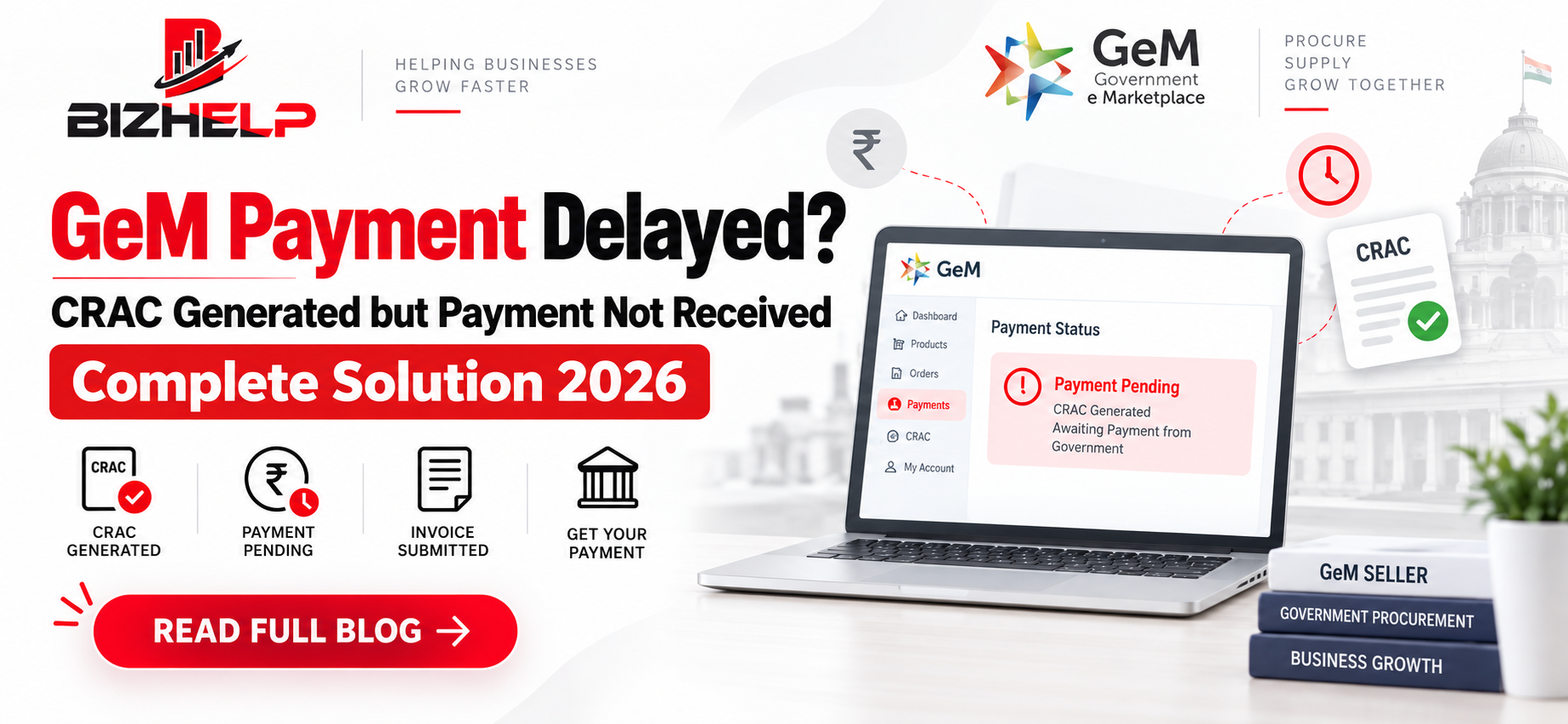
GeM Payment Delayed? CRAC Generated but Payment Not Received – Complete Solution 2026
Order delivered, invoice uploaded, CRAC generated, and still no payment in your account. If this sounds familiar, you are not alone. GeM delayed payment is one of the top complaints we hear from sellers at BizHelp, and for a small MSME, even one stuck payment can freeze the cash needed for the next order.
The good news: almost every GeM payment delay has a traceable cause. This guide explains the GeM payment process, shows you how to spot the exact stage where your money is stuck, and gives a clear escalation path, from consignee follow-up to GeM incident management and MSME Samadhaan GeM complaints. If you are new to the platform, first read our guide on what is GeM to understand how buyers and sellers work on the portal.
GeM Payment Process Explained: From Supply Order to Bank Credit
On GeM, payment is released only after the consignee accepts your supply (CRAC), the buyer generates a bill, and the GeM payment authority processes it. A delay at any one of these stages stops everything after it.
| Stage | Who Acts | What the Seller Should Check |
|---|---|---|
| Supply Order accepted | Seller | Delivery date, consignee address, payment authority details |
| Delivery + invoice upload | Seller | Invoice matches order quantity, rate and GSTIN |
| PRC generated | Consignee | Receipt confirmed on the portal |
| CRAC issued | Consignee | Accepted quantity matches delivered quantity |
| Bill generated | Buyer | Bill forwarded to Payment Authority |
| Payment processed | Payment Authority (DDO/PAO) | Status in PFMS, buyer's own system, or GPA |
| Bank credit | Bank | UTR number and credit in registered account |
Key Terms
- PRC (Provisional Receipt Certificate): The consignee confirms the goods have physically arrived.
- CRAC (Consignee Receipt & Acceptance Certificate): The consignee confirms the goods passed inspection and are accepted. No CRAC, no payment.
- Payment Authority (DDO/PAO): The finance officer who actually releases the money. This is often a different person from the buyer.
- GPA (GeM Pool Account): An account where some buyers deposit funds in advance, so payment can flow faster.
Remember, the Buyer, Consignee and Payment Authority can be three different people. Knowing who holds your file at each stage is half the battle.
Not every order is paid through PFMS. Central ministries mostly use PFMS, while CPSEs, PSUs, state governments and autonomous bodies often use their own treasury or ERP systems. Some buyers pay through GPA.
Where Is Your GeM Payment Stuck?
Open the order on your dashboard and read the GeM payment status. Each status tells you exactly who to chase.
| Status Seen | What It Means | Your Action |
|---|---|---|
| PRC pending | Consignee hasn't confirmed receipt | Share delivery proof, call the consignee |
| CRAC pending on GeM | Inspection or acceptance not done | Follow up with consignee; check if deemed CRAC applies |
| Bill not generated | Buyer hasn't raised the bill after CRAC | Contact the buyer |
| GeM payment pending with Payment Authority | DDO/PAO hasn't processed the bill | Contact the Payment Authority directly |
| Payment failed / rejected | Bank or PFMS validation failed | Check bank details and PFMS validation |
| Paid but not credited | Inter-bank processing | Get the UTR number, check with your bank |
If your status shows CRAC pending on GeM, the file is still with the consignee, so that is where your follow-up should start.
Common Reasons for GeM Payment Delay
Most cases of GeM payment not received fall into two buckets.
Buyer-Side Reasons
- Consignee delays PRC or CRAC due to workload or pending inspection
- Bill not forwarded to the Payment Authority
- Budget or fund allocation not released
- Multi-level internal approvals
Seller-Side Reasons
- Wrong or outdated bank details (for example, IFSC changed after a bank merger)
- Bank account not validated in PFMS, causing GeM payment rejected in PFMS
- Invoice mismatch with order quantity, rate or GSTIN
- Missing delivery proof or unsigned challan
Seller-side errors are fully in your control, so fix those first. Many of these mistakes start at onboarding, so make sure your profile and bank details were set up correctly during GeM registration. A mismatch between your listed product and the delivered item can also delay CRAC, which is why accurate GeM catalog management matters.
Step-by-Step Guide to Resolve GeM Delayed Payment
Here is how to resolve delayed payment on GeM portal, in the order we follow for BizHelp clients.
Step 1: Check Order and Payment Status
Identify the exact stage using the table above.
Keep ready: Order ID, invoice number, delivery date.
Step 2: Follow Up With the Consignee for CRAC
If PRC or CRAC is pending, call and email the consignee with proof of delivery.
Keep ready: Signed delivery challan, e-way bill, delivery photos.
Step 3: Follow Up With the Payment Authority
If CRAC is done and the bill is generated, contact the DDO/PAO directly. Most cases of GeM payment pending after invoice upload get resolved here.
Keep ready: CRAC copy, bill number, invoice.
Step 4: Raise an Incident on GeM
If there's no response, use GeM incident management to raise an incident against the order for delayed CRAC or payment. This creates an official record.
Keep ready: All previous emails and proofs as attachments.
Step 5: Escalate
Raise a ticket with the GeM portal helpdesk and follow the escalation matrix. You can also write to the buyer organisation's senior officer or Head of Department. This is how to raise a complaint for GeM payment formally.
Step 6: Check PFMS or Bank Status
For PFMS-based payments, check PFMS payment status on the PFMS portal using the "Know Your Payments" facility. If it shows paid, get the UTR and trace it with your bank.
Step 7: MSME Samadhaan (Last Resort)
If you're a registered Micro or Small Enterprise and your GeM payment is stuck beyond 45 days, file a complaint on MSME Samadhaan. It's free.
| Point | Details |
|---|---|
| Who can file | Micro & Small units with Udyam Registration done before the supply date |
| Payment rule | Buyer must pay within 45 days of acceptance (CRAC) |
| Penalty on buyer | Compound interest at 3x the RBI bank rate |
| Documents | Udyam certificate, GeM contract, invoice, CRAC |
| Process | File online → state MSEFC sends notice → conciliation → arbitration |
| Timeline | Award within 90 days (often longer in practice) |
| Buyer's appeal | Must first deposit 75% of the award amount |
Tip: Raise a GeM incident and escalate with the buyer first. Use Samadhaan only if that fails.
GeM Rules on Payment Timelines and Late Payment Interest
GeM's General Terms and Conditions set timelines for both CRAC and payment. As per GeM GTC, the consignee must issue CRAC within a defined period after delivery, and payment is due within 10 days of CRAC. The GTC also provides for interest on delayed payment by the buyer.
So, how many days does GeM payment take? If everything is in order, payment should typically arrive within about 10 days of CRAC. In practice, buyer workload and approvals often stretch this, which is why active follow-up matters.
MSME Samadhaan: Remedy for MSE Sellers
Under the MSMED Act, 2006, buyers must pay Micro and Small Enterprises within the agreed period, and this period cannot exceed 45 days from acceptance. If they delay, the buyer is liable to pay compound interest at three times the RBI bank rate, with monthly rests.
MSME Samadhaan GeM cases are filed on the MSME Samadhaan portal and referred to the Micro and Small Enterprises Facilitation Council (MSEFC) of the relevant state. You need a valid Udyam Registration as a micro or small enterprise.
Because this is a formal route, most sellers use it only after Steps 1 to 6 fail, keeping the buyer relationship in mind.
Illustrative Case Examples
Case 1: CRAC Stuck for 40 Days
An IT hardware supplier delivered on time, but CRAC sat pending for over a month. After shared delivery proof went unanswered, an incident was raised on GeM. CRAC was issued within a week and payment followed.
Case 2: Payment Rejected in PFMS
A furniture MSE's payment kept failing because their bank's IFSC had changed after a merger. Once the bank details were updated and revalidated, the Payment Authority reprocessed the bill successfully.
Checklist to Avoid GeM Payment Delays
Here is how to avoid payment delay on GeM:
- ☐ Bank account updated and validated before accepting orders
- ☐ Invoice matches order quantity, rate and GSTIN exactly
- ☐ Signed delivery challan and photos collected at delivery
- ☐ Consignee informed the same day invoice is uploaded
- ☐ PRC and CRAC status checked every 2–3 days
- ☐ Payment Authority contact details saved for every order
- ☐ Incident raised as soon as timelines are crossed
- ☐ Udyam Registration kept active (for MSME Samadhaan eligibility)
How BizHelp Helps You Resolve GeM Delayed Payment
Chasing consignees, Payment Authorities and helpdesk tickets takes time away from running your business. BizHelp's GeM consultancy team handles the entire follow-up for you, so your GeM payment delay gets resolved faster.
| What We Do | How It Helps You |
|---|---|
| Order and payment status tracking | We monitor PRC, CRAC, billing and GeM payment status for every order, so delays are caught early |
| Consignee and Payment Authority follow-up | We coordinate with the consignee and GeM payment authority on your behalf, with proper documentation |
| GeM incident management | We draft and raise incidents with the right proofs, and track them through the escalation matrix |
| Invoice and bank detail checks | We review invoices and bank details before submission to prevent GeM payment rejected in PFMS cases |
| MSME Samadhaan guidance | We help eligible MSE sellers understand the process and prepare documents for filing |
| GeM training | Our GeM training teaches your team to manage orders and payments independently |
Whether it's a single stuck payment or ongoing order management, our GeM Account Management service keeps your cash flow moving. Want to win more orders too? Explore our GeM tender participation support.
Talk to a BizHelp GeM expert on WhatsApp
Frequently Asked Questions (FAQs)
Q1. What to do if GeM payment is not received?
A1 If your GeM payment is not received, first check the order status to see whether CRAC or billing is pending. Follow up with the consignee or Payment Authority, then raise an incident on GeM. MSE sellers can also file a delayed payment complaint on MSME Samadhaan.
Q2. How to check GeM payment status?
A2 Log in to your GeM seller dashboard, open the order, and check the GeM payment status. For PFMS-based payments, you can also track the payment on the PFMS portal.
Q3. How many days does GeM payment take?
A3 As per GeM terms, the buyer should release payment within 10 days of CRAC generation. The actual timeline depends on the buyer's approvals and payment system.
Q4. What does CRAC pending mean on GeM?
A4 CRAC pending on GeM means the consignee has not yet issued the Consignee Receipt and Acceptance Certificate after inspection. Payment cannot start until CRAC is generated, so follow up with the consignee.
Q5. Why is my GeM payment rejected in PFMS?
A5 A GeM payment rejected in PFMS is usually caused by wrong or unvalidated bank details, such as a changed IFSC code. Update your bank details on GeM and ask the Payment Authority to reprocess the bill.
Q6. Can MSEs claim interest on GeM delayed payment?
A6 Yes. Under the MSMED Act, micro and small enterprises (MSEs) can claim interest on GeM delayed payment beyond 45 days by filing a complaint on MSME Samadhaan.
Q7. Who is the Payment Authority on GeM?
A7 The GeM payment authority is the DDO or PAO of the buyer organisation who releases the payment. It is often different from the buyer and the consignee, and its details are shown in the GeM supply order.
Q8. How to raise an incident for GeM delayed payment?
A8 Open the order in your GeM seller panel and raise an incident for delayed CRAC or delayed payment. Attach your invoice, delivery proof and follow-up emails. The incident creates an official record and moves through GeM incident management.
Q9. How to check PFMS payment status for a GeM order?
A9 If the buyer pays through PFMS, you can check the PFMS payment status on the PFMS portal using your bank account details. If it shows paid, get the UTR number and confirm the credit with your bank.
Q10. What is GPA (GeM Pool Account)?
A10 The GeM Pool Account (GPA) is an account where some buyers deposit funds in advance. When an order is paid through GPA, payment is usually faster because the funds are already available.
Conclusion
A GeM delayed payment is rarely random. Once you know the stage, whether PRC, CRAC, billing or Payment Authority, you know exactly who to chase. Keep your documents clean, follow up early, and escalate through GeM's official channels when needed.
Payment stuck on GeM? Talk to BizHelp's GeM experts or explore our GeM Account Management service for end-to-end order and payment follow-up. New to GeM? Check our GeM training programs. You can also browse more guides on the BizHelp blog.
Related Blogs & Insights