GeM Product Catalogue Upload as Reseller: Full Process
Introduction
Most new sellers on the Government e-Marketplace think uploading a product is simple form filling. Then the first wall arrives: the brand is locked, the category asks for an authorisation code, or the catalogue sits pending for weeks and finally gets rejected.
If you sell products made by someone else, you are a reseller on GeM — and your rules are different from a manufacturer's. A reseller does not get a free hand on the catalogue. What you can list, whether you can create a listing at all, and how fast it goes live are decided by two things: the category quadrant and the OEM behind the brand.
This matters because your catalogue is your entire presence on GeM. If it is wrong, buyers never see you. If it is rejected, you lose weeks. If it is done right the first time, your products stay visible and eligible when the right bid comes along.
This guide covers the full picture — what a GeM product catalogue is, what a reseller can and cannot do in each quadrant, the documents and product data to keep ready, the step-by-step upload and pairing process, the fields that cause the most rejections, and how OEM and reseller catalogues differ.
What the GeM Platform Says
Your catalogue is an official product record
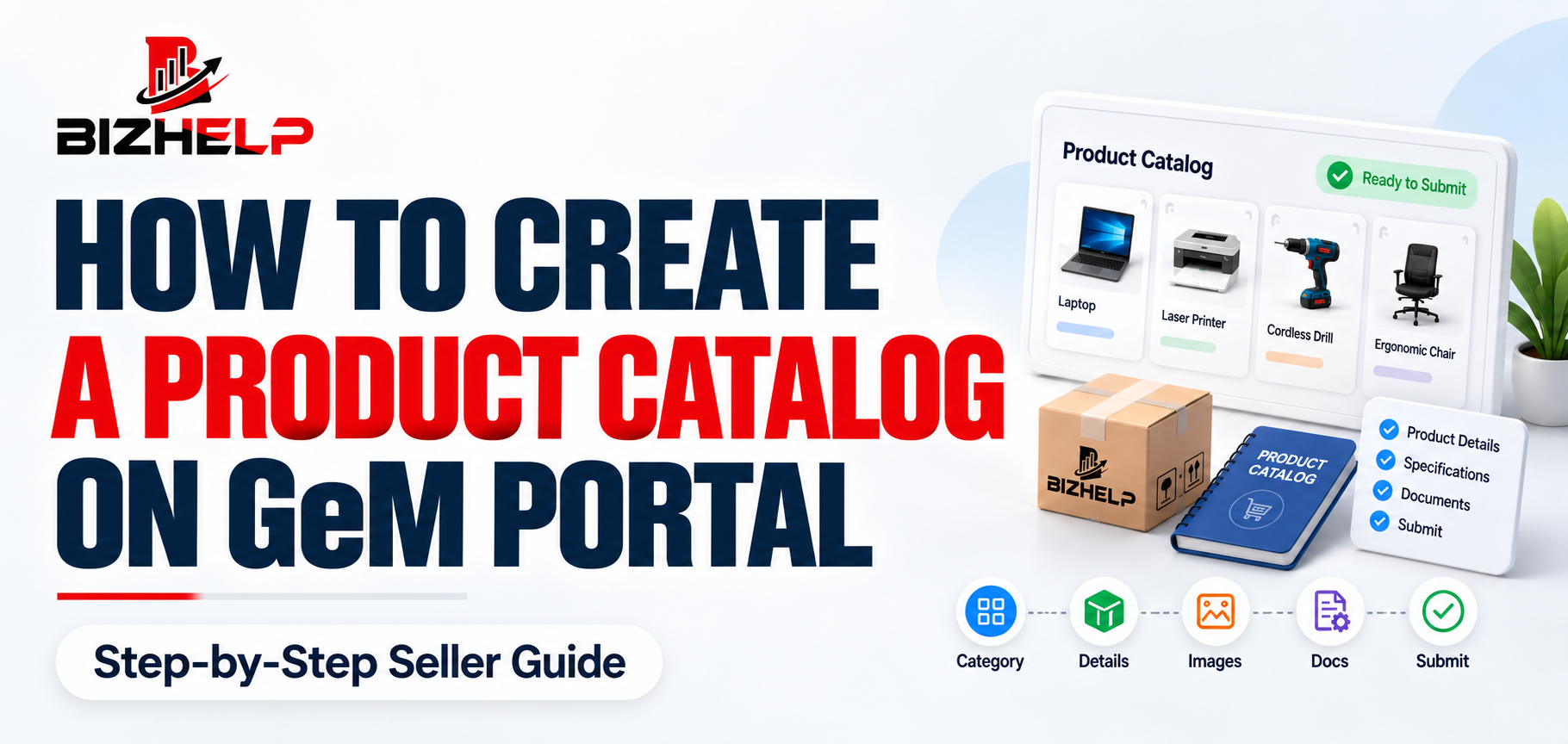
A GeM product catalogue is your product's official record on the GeM portal. It holds the category, brand, model, technical specifications, images, price, warranty, delivery terms and supporting certificates.
Government buyers search and compare products using exactly these fields. When a buyer creates a direct purchase order or a bid, GeM matches the technical parameters of the requirement against the parameters in your catalogue. If your specifications are incomplete or entered in the wrong field, your product will not appear in the buyer's comparison — even if you have the right product in your warehouse at the right price.
Reseller rights depend on the category quadrant
Every GeM seller account has a reseller panel by default. What that panel allows you to do is controlled by the quadrant of the category.
| Quadrant | What a reseller can do |
|---|---|
| Q1 | Resellers are not allowed. Only the OEM can sell in these categories. |
| Q2 | You must obtain an authorisation code from the OEM and pair with the OEM's existing catalogue. You cannot create a new catalogue. |
| Q3 / Q4 | You may upload a new catalogue, but it first goes to the OEM for approval. The OEM has to accept or reject it within 72 hours, with reasons recorded. |
| Q5 (SHG products) | Sellers can list only as resellers. There is no brand creation option. |
| Q6 (ODOP) | Only the OEM uploads the catalogue. Resellers pair with it. |
Two practical takeaways. First, check the quadrant of your category before you chase stock or quote a price — the category may not accept resellers at all. Second, in most reseller cases you are not creating a product from scratch. You are attaching yourself to a catalogue the manufacturer already built.
What Were the Reasons Behind These Rules?
These restrictions look strict, but each one has a practical reason behind it.
- Brand ownership stays with the manufacturer. A brand name and its specifications belong to the OEM. Allowing anyone to create a listing under that brand would put wrong specifications and wrong claims on the manufacturer's name.
- Government buyers need accurate comparison. GeM matches buyer requirements against catalogue parameters. If specification values were free text with no OEM control, the comparison itself would become unreliable.
- One product, one correct record. Pairing keeps many resellers attached to a single OEM catalogue instead of creating a dozen slightly different versions of the same product.
- Accountability after supply. Warranty, after-sales support and country of origin all trace back to the manufacturer, so GeM ties the listing to OEM backing.
- The 72-hour limit protects the reseller. The OEM must accept or reject a Q3/Q4 catalogue within 72 hours with reasons recorded, so a manufacturer cannot simply sit on your request forever.
GeM Product Catalogue Upload Process for Resellers
- Complete your seller registration and profile. An incomplete profile blocks catalogue submission. If you have not registered yet, start with GeM registration. Confirm your business details, bank account and GST are verified.
- Identify the correct category and check its quadrant. GeM has thousands of categories with strict mapping. Search the category by the actual product, not by a general name.
- Obtain authorisation from the OEM. For Q2 categories, ask the manufacturer to generate an authorisation code for you from their OEM panel. For other categories, obtain a reseller authorisation letter on the OEM's letterhead in the format GeM accepts.
- Enter the authorisation code in your reseller panel. Log in to your GeM seller account and add the code against the relevant brand and category.
- Wait for the OEM to validate the first pairing. For a first-time pairing, the manufacturer verifies from their panel that the code was used by the intended reseller. Later pairings in the same category with the same code are generally processed automatically.
- Pair with the existing catalogue, or create a new one. Where the OEM has already listed the product, pair with it using the catalogue ID or the golden parameters. Where the quadrant permits a new listing, proceed to create the catalogue.
- Fill in the product details. Enter brand, model, manufacturer details and every technical parameter in its designated field. Do not put specifications only in the description box.
- Upload product images. Follow GeM's image requirements — clear, actual product images on a plain background, correct dimensions, no promotional text, no stock photos from the internet.
- Add pricing and commercial terms. Enter MRP and offer price, tax, delivery period, quantity and warranty. Keep the price realistic against MRP and consistent with what other authorised sellers of the same brand are offering.
- Attach the required documents and certificates. Upload the authorisation document, mandatory certifications and any test reports the category demands.
- Review and submit for approval. Re-read the brand, model and specification fields once more before submitting. Corrections after submission cost far more time than a two-minute check.
- Track the catalogue status. In Q3 and Q4 categories the request goes to the OEM first, who must act within 72 hours. Track the status in your panel and read the rejection remarks carefully if it comes back.
Competition: How to Stand Out as a Reseller
In most branded categories you are not the only authorised seller. Several resellers can be paired to the same OEM catalogue, which means the buyer sees the same product from multiple sellers and decides on the surrounding details.
You cannot change the OEM's specifications, so competition is won on the parts you control:
- Correct category mapping. If your product sits in a near-matching category, you are not competing at all — you simply do not appear in the buyer's search.
- Complete specification entry. GeM matches buyer parameters against your catalogue fields. Every mandatory parameter filled means more requirements you qualify for.
- Realistic pricing. Keep your price sensible against MRP and in line with the brand's other authorised sellers. Unrealistic pricing against MRP is itself a rejection reason.
- A delivery period you can meet. Promising a timeline you cannot honour costs you more than the order.
- Warranty stated exactly as the OEM offers it. Do not over-commit to look better than other sellers.
- Real, clean product images. Buyers compare visually. Blurry photos and brochure screenshots do not help you and can get the catalogue rejected.
Detailed Procedure
A. Getting OEM authorisation
- Q2 categories: ask the manufacturer to generate an authorisation code from their OEM panel against your seller account, for that brand and category. If the OEM is slow or unclear about the format, professional OEM authorization support can move this along.
- Other categories that need it: ask for a reseller authorisation letter on the OEM's letterhead, in the format GeM accepts.
- Check the validity period before you start uploading, and renew it before it lapses.
B. Pairing with an existing OEM catalogue
- Enter the authorisation code in your reseller panel against the correct brand and category.
- Wait for the OEM to validate the first pairing from their panel.
- Locate the OEM's existing product and pair using the catalogue ID or the golden parameters.
- Add your own commercial terms — price, tax, quantity, delivery period.
C. Creating a new catalogue (Q3 / Q4 only)
- Confirm the quadrant permits a new reseller listing.
- Create the listing and fill every field from the OEM's datasheet.
- Submit. The request goes to the OEM, who must accept or reject within 72 hours with reasons recorded.
- If rejected, read the recorded reason, fix that specific field, and resubmit.
D. Field-by-field entry checklist
| Field | What to be careful about |
|---|---|
| Product name | Descriptive and specific; avoid vague names like "Office Chair" |
| Brand | Exactly as registered by the OEM on GeM |
| Model | Full model number, including variant suffixes |
| Manufacturer | Legal name and complete manufacturing address |
| Technical specifications | Every mandatory parameter filled, matching the OEM datasheet |
| Country of origin | Accurate; affects buyer preference and Make in India compliance |
| Images | Real product images, plain background, GeM-compliant dimensions |
| Price and MRP | Consistent with brand pricing; taxes clearly accounted for |
| Warranty | Match the OEM's standard warranty; do not over-commit |
| Delivery period | A timeline you can actually meet |
| HSN / SKU / EAN | Correct codes for classification and search |
E. After submission
- Track the status in your seller panel.
- In Q3 and Q4, the OEM decision is capped at 72 hours.
- Once the OEM clears it, the catalogue moves through GeM validation and then becomes visible to government buyers.
Common User Mistakes (and How to Avoid Them)
| Mistake | How to avoid it |
|---|---|
| Wrong category selection — the most frequent cause. A near-matching category means your product never surfaces in buyer searches and is often rejected outright. | Search by the actual product, and confirm the quadrant before doing anything else. |
| Specification mismatch — values that do not match the OEM's published datasheet. | Copy values field by field from the OEM datasheet, not from memory or a dealer's message. |
| Brand and model mismatch — model number entered differently from the OEM's catalogue. | Use the exact brand spelling and the full model number, including variant suffixes. |
| Incorrect manufacturer details — trader name entered instead of the actual manufacturer. | Enter the manufacturer's legal name and full manufacturing address. |
| Missing or invalid authorisation — expired letter, wrong format, or a code issued for a different reseller. | Keep the authorisation valid and in the correct format, and renew before expiry. |
| Poor images — blurry photos, watermarks, brochure screenshots, or images that do not show the actual product. | Use real product images on a plain background, in GeM-compliant dimensions. |
| Missing mandatory certificates — BIS or category-specific certification not attached. | Check what the category demands and attach it before submitting. |
| Pricing issues — unrealistic pricing against MRP, or prices out of line with the brand's other sellers. | Keep pricing aligned with the brand's approved MRP from the start. |
| Incomplete fields — optional-looking fields left blank that the category treats as mandatory. | Fill every parameter; do not leave specifications only in the description box. |
| Bulk-listing before the first approval | Upload one product, get it approved, then use that approved listing as your template. |
One more habit worth building: when a rejection comes, read the recorded reason and fix that specific field. Resubmitting the same catalogue unchanged only repeats the cycle.
Helpful Sections
Documents and information required
Account level
- Active GeM seller account with a completed profile (PAN, GST if applicable, bank details, business registration proof)
- Category activated on your seller profile
- OEM authorisation — an authorisation code for Q2 categories, or an authorisation letter from the manufacturer where the category requires it
- Vendor assessment, where the category or the buyer's requirement demands it
Product level
- Exact brand name and model number as used by the OEM
- Manufacturer name and full manufacturing address
- Complete technical specifications, matching the OEM datasheet
- Country of origin and local content details
- HSN code and SKU/EAN
- Product images meeting GeM's image rules
- MRP, selling price, tax details, quantity and delivery period
- Warranty terms and after-sales support details
- Supporting certificates — BIS, ISI, test reports, energy ratings, or any certification mandatory for that category
Most useful preparation step: get the OEM's official datasheet or brochure in writing. Almost every specification mismatch rejection starts with a seller typing values from a dealer's WhatsApp message instead of the manufacturer's document.
Eligibility at a glance
- You need an active, verified GeM seller account with the category activated.
- You need OEM backing — a code or a letter, depending on the category.
- Q1 categories are closed to resellers regardless of documentation.
- Q5 (SHG) and Q6 (ODOP) categories have their own restrictions on brand creation and uploading.
Common problems and solutions
| Problem | Solution |
|---|---|
| Brand is locked in the category | Check the quadrant; obtain an authorisation code or letter from the OEM |
| Catalogue pending for weeks | Track status in your panel; in Q3/Q4 the OEM is bound by the 72-hour limit |
| Catalogue removed after going live | The OEM may have invalidated the authorisation code — catalogues paired with that code are removed. Renew authorisation and re-pair. |
| Product not appearing in buyer searches | Usually wrong category selection or incomplete specification fields |
| Repeated rejections | Read the recorded remark and correct that exact field instead of resubmitting as-is |
OEM catalogue vs reseller catalogue
| Aspect | OEM | Reseller |
|---|---|---|
| Brand rights | Owns or is authorised for the brand | Sells under someone else's brand |
| Catalogue creation | Creates the original catalogue | Pairs with it, or uploads subject to OEM approval |
| Authorisation | Submits trademark and brand documents | Needs an authorisation code or letter from the OEM |
| Specification control | Defines the specifications | Must match the OEM's specifications |
| Category access | All permitted quadrants | Restricted; excluded from Q1 |
| Catalogue flag | Marked as OEM-verified | Marked as OEM-verified only after the OEM approves it |
In short: the OEM sets the record and the reseller works within it. This is why authorisation is not paperwork you can arrange later — without it, most branded categories are closed to you.
Quick tips
- Confirm the quadrant and the exact category before anything else.
- Copy specifications straight from the OEM datasheet, field by field.
- Keep authorisation valid and renew before it lapses.
- Upload one product first and get it approved before bulk-listing fifty. That one approval tells you exactly what the category expects.
How BizHelp Can Help
Catalogue work is repetitive, detail-heavy and unforgiving. One wrong category or one mismatched model number can stall a listing for weeks, and a rejected catalogue with a recorded reason is harder to clean up than one filed correctly the first time.
At BizHelp, our team handles GeM catalog management and product upload end to end — category mapping, specification entry, image compliance, documentation and follow-up on pending approvals. We also help resellers arrange the OEM authorisation they need before uploading, so the catalogue does not get stuck at the approval stage.
Need help uploading or managing your GeM product catalogue? Contact BizHelp for professional GeM catalogue support.
10. Frequently Asked Questions
Q1. Can a reseller upload products on GeM?
A1. Yes, but only with OEM backing. In Q2 categories you pair with the manufacturer's existing catalogue using an authorisation code. In Q3 and Q4 you may upload a new catalogue, which the OEM must approve. Q1 does not allow resellers.
Q2. What documents are required for catalogue upload?
A2. You need an active GeM seller account, an OEM authorisation code or letter, the manufacturer's technical datasheet, product images, HSN and SKU details, and any mandatory category certification such as BIS or test reports.
Q3. How does a reseller add a product on GeM?
A3. Log in to your seller account, enter the OEM authorisation code in your reseller panel, wait for validation, then pair with the OEM's catalogue using the catalogue ID or golden parameters, or upload a new catalogue where the quadrant permits.
Q4. Why is my GeM catalogue rejected repeatedly?
A4. The usual causes are wrong category selection, specifications that do not match the OEM datasheet, brand or model mismatch, invalid authorisation, or non-compliant images. Read the recorded rejection reason and correct that specific field before resubmitting.
Q5. Can a reseller list multiple products on GeM?
A5. Yes. There is no fixed limit on the number of products. However, each brand and category needs its own valid authorisation, and every product must meet that category's specification and documentation requirements separately.
Q6. What happens after catalogue submission?
A6. In Q3 and Q4 categories the request goes to the OEM, who must approve or reject it within 72 hours with reasons recorded. Once cleared, the catalogue moves through GeM validation and becomes visible to government buyers.
Q7. Do I need an authorisation code for every category?
A7. No. Authorisation codes are required for Q2 categories. Other quadrants may require a reseller authorisation letter instead, and some categories restrict reseller listing entirely. Always check the quadrant before starting.
Q8. How long does GeM catalogue approval take?
A8. Timelines vary by category and by how quickly the OEM responds. OEM approval in Q3 and Q4 is capped at 72 hours. Delays usually come from incomplete specifications or missing documents rather than the portal itself.
Q9. Can the OEM remove my catalogue later?
A9. Yes. If the OEM invalidates the authorisation code you used, catalogues paired with that code are removed from the marketplace and you are notified on your panel. Keep your authorisation current and renew before expiry.
Q10. Can I change the price after uploading the catalogue?
A10. Yes, prices can be updated from your seller panel. In Q2 categories, MRP change requests are routed to the OEM for processing, so keep your pricing aligned with the brand's approved MRP from the start.
Conclusion
Uploading a product catalogue as a reseller on GeM is less about the upload screen and more about the preparation behind it. Check the category quadrant, secure valid OEM authorisation, and take your specifications straight from the manufacturer's datasheet — those three habits prevent most rejections.
Ready to get your products live on GeM? BizHelp's GeM consultants handle catalogue creation, OEM authorisation and ongoing catalogue management so your listings stay compliant and visible to government buyers. Talk to our GeM experts today.
Related Blogs & Insights