How to Check L1 Price on GeM (2026) – Past Bid Results
How to Check L1 Price on GeM: View Past Bid Results Before You Quote (2026)
Most GeM sellers do not lose bids because their product is weak. They lose because their price is a guess. Some sellers quote 15% above what the department paid last time and get knocked out. Others quote 20% below and win an order that makes no money.
Every closed bid on GeM leaves a price trail. Once you know how to check the L1 price of past GeM bids, you can quote using data, not hope.
In this guide, you will learn what L1 means on GeM, where to see past GeM bid results, how to read the financial evaluation, and how to turn that data into a quote that wins without killing your margin.
What Is L1 Price on GeM?
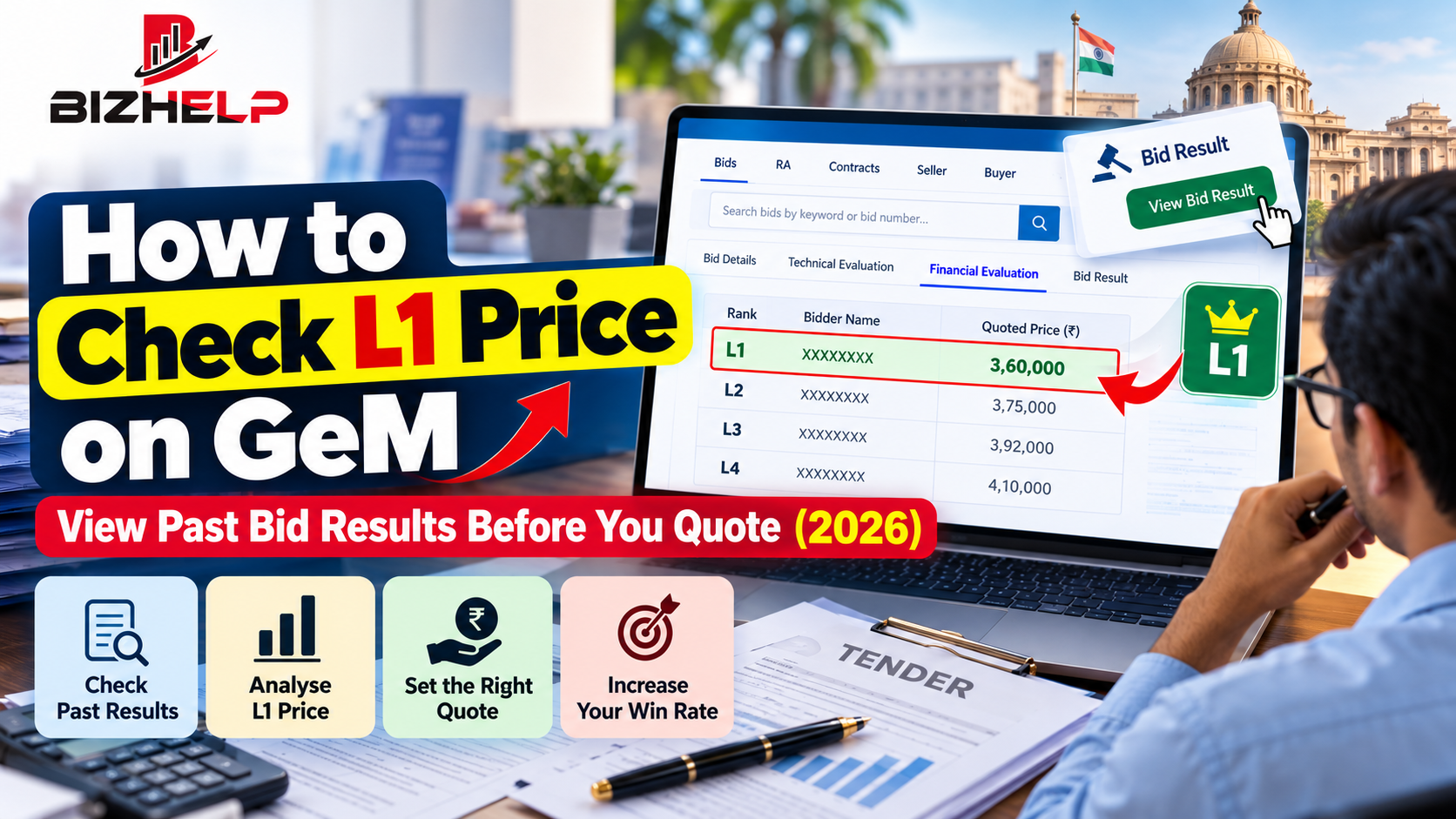
L1 means "Lowest 1", the lowest-priced bidder who has also qualified technically. In a GeM bid, the buyer evaluates technical documents first. Only the prices of technically qualified sellers are then compared in the financial evaluation and ranked as L1, L2, L3 and so on.
A few points every seller should know:
- Prices on GeM include all taxes. The GeM FAQ confirms that offered prices are tax-inclusive, so always compare the L1 figure with your GST-inclusive cost.
- The L1 name may stay hidden at first. According to the GeM FAQ, the financial evaluation shows the L1 price without the seller's identity until the buyer decides between a Reverse Auction (RA) and "Open and Award".
- Being close to L1 can also win. GeM's training material notes purchase-preference bands: MSE sellers within L1 + 15% and Make in India (MII) sellers within L1 + 20% can be offered the chance to match L1.
So L1 is not only the price you need to beat. It also defines the band you need to stay inside.
Why Checking Past L1 Price Matters Before You Quote
Buyers check price history too, so your quote should be built on the same data.
- Buyers test price reasonability. GeM gives buyers tools such as the last purchase price on GeM and six-month price trends, as shown in GeM's official webinar deck. A quote far above history gets questioned.
- It tells you if a category is worth bidding. If the usual L1 is below your landed cost, skip the bid or fix your sourcing first.
- It prepares you for Reverse Auction. If the buyer converts the bid to RA, prices usually fall further, so you need to know your floor in advance.
- It exposes dumping. A one-off L1 far below the market average is an outlier. Do not chase it.
How to Check L1 Price of Past GeM Bids: Step by Step
There are four practical ways to find past L1 prices. Use the first two for single bids and the last two for category-level research.
Method 1: Check public GeM bid results (no login needed)
- Open gem.gov.in and go to the list of bids on BidPlus.
- Turn on the Bid/RA Status option so that closed bids also appear.
- Search by product keyword (for example "office chair" or "desktop computer") or by bid number (format: GEM/2025/B/xxxxxxx).
- Click View Bid Result under the bid.
- Open the Technical Evaluation tab to see which sellers qualified or were disqualified.
- Open the Financial Evaluation tab to see the rank (L1, L2, L3) and quoted price of each qualified seller, once the buyer has published it.
Method 2: Check results of bids you have already participated in
Log in to your seller dashboard, open the bids you participated in, and view the result for each one. Note your rank and the gap between your price and L1 in percent. Five such data points tell you more about your pricing than any guess.
Method 3: Check the current marketplace L1 for catalogue products
For L1 purchases, the buyer compares at least three OEMs and the system recommends the lowest-priced match, as explained in this GeM L1 purchase guide. Search your category on the GeM marketplace with the same specifications, then note the lowest offered price for the same spec, warranty and delivery terms. That number is your real competition for small orders.
Method 4: Use a tender analytics tool for bulk data
Checking prices by hand works for 5 to 10 bids. If you need patterns across hundreds of bids, a tool saves days of work. Examples are the average L1 per unit, the discount versus estimated bid value, the top winning sellers and the buyer organisations that buy most. BizHelp's Tender Insights and OEM Analytics are built for exactly this kind of GeM price analysis.
How to Use L1 Data to Set Your Quote
follow these steps:
- Convert everything to per-unit price. A bid for 500 units and a bid for 5 units cannot be compared on total value.
- Compare like with like. Match the specification, warranty, delivery location and delivery period before you trust any number.
- Look at a range, not one bid. Take 10 to 20 similar bids from the last 6 to 12 months and note the lowest, the median and the highest L1.
- Calculate your floor price. Add your landed cost, GST, freight, GeM transaction charges and your minimum margin. If the median L1 is below your floor, skip the category or renegotiate with your OEM or distributor.
- Use the MSE band wisely. If you are a registered MSE, staying within L1 + 15% can give you a chance to match L1. Remember, matching means you supply at the L1 price, so check your margin first.
- Keep room for Reverse Auction. If similar past bids went to RA, quote with some cushion above your floor so you can drop in steps.
This is exactly how experienced bidders move from "we lost again" to a steady win rate.
Common Mistakes When Using GeM L1 Prices
- Copying the last L1 blindly. Quantity, location and delivery time change the right price. A Northeast delivery cannot be priced like a Delhi delivery.
- Comparing different specs or brands. A lower L1 for a lower spec tells you nothing about your product.
- Forgetting that GeM prices include GST. Compare tax-inclusive to tax-inclusive, always.
- Quoting an unworkable price. GeM has a provision to disqualify an L1 bidder in services bids for unworkable prices. Winning at a loss is not winning.
- Checking only one bid. One data point is noise. A pattern across many bids is intelligence.
Frequently Asked Questions
Can I check GeM bid results without login?
Yes. Closed bids can be searched in the GeM bid list with the Bid/RA Status option, and each bid has a View Bid Result button. More detail is available for bids you participated in through your seller login.
Does GeM show the name of the L1 seller?
Not at first. The financial evaluation shows the L1 price, and the seller's name is disclosed with the price when the buyer chooses "Open and Award" instead of Reverse Auction.
What is the L1 + 15% rule on GeM?
It is the MSE purchase preference. If the L1 bidder is not an MSE and an MSE seller has quoted within L1 + 15%, the MSE seller can be given the chance to match the L1 price.
Are L1 prices on GeM inclusive of GST?
Yes. Prices offered on GeM are inclusive of all taxes, so always compare them with your GST-inclusive cost.
How many past bids should I check before quoting?
Check at least 10 to 20 similar bids from the last 6 to 12 months. GeM buyers themselves look at six-month price trends, so a quote in line with that history looks reasonable to them.
Conclusion: Quote With Data, Not Guesswork
Checking the L1 price of past GeM bids takes 15 minutes per category. It can save you from months of lost bids and loss-making orders. Start with public bid results, track your own gap to L1, compare like with like, and always know your floor price before the bid opens.
If you want category-wide L1 data without checking hundreds of bids by hand, BizHelp can help. Explore Tender Insights and OEM Analytics, or talk to a BizHelp GeM expert on WhatsApp for help pricing your next bid.
Related Blogs & Insights