How to Manage and Shortlist GeM Tenders | BizHelp
Introduction
GeM has thousands of live bids at any time. Most new sellers see this and try to apply everywhere. That is where the trouble starts.
GeM tender management means finding the right tenders, checking them properly, and bidding only where you have a real chance. Shortlisting is where you decide which tenders deserve your time. One wrong tender can eat two days and still end in rejection over a line you never read.
This blog explains how to search GeM tenders, what to check, how to shortlist them, and which mistakes to avoid.
What Platform Says
GeM serves as the central digital procurement portal for the state, with purchasing entities comprising various ministries, public sector undertakings, administrative divisions, and additional governmental organizations.
When larger or particular requirements exist, a purchaser issues a tender rather than sourcing from the standard catalog. The purchaser defines the specs, volume, shipping window, qualification criteria, and final deadline, plus may include additional stipulations regarding prior work history or revenue levels. One may participate provided registration is active, the assigned category aligns, and all stated prerequisites are satisfied.
Nothing is the same in every tender. EMD, experience conditions and document lists change from bid to bid. The bid document is the final word.
What Were the Reasons?
Why does proper tender management matter?
-
Saves time. Reading one tender well beats preparing three wrong bids.
-
Finds work you can deliver. One match beats ten random tenders.
-
Catches eligibility problems early. Better on day one than after submission.
-
Shows what the buyer wants. Specifications and delivery terms decide most rejections.
-
Keeps documents ready. Missing paperwork is a common reason bids fail.
-
Keeps many tenders under control. A simple system beats memory.
Shortlist a GeM tender only when three things are true: the product matches what you sell, you meet the eligibility conditions, and you have the documents and time to submit before the last date. If one is missing, skip it.
1. Process
Step 1: Search for Relevant GeM Tenders
Open the bid section in your seller account. Search by your category and the keywords a buyer would use. Add filters for state or value, and check daily.
Step 2: Check Product or Service Match
Read the specifications, not just the item name. Two products with the same name can be very different. If you cannot supply exactly what is asked, skip it.
Step 3: Check Eligibility
Every bid says who can apply. Look for turnover conditions, past experience, OEM or reseller status, MSE exemptions and certificates. Never assume a condition will be ignored.
Step 4: Check Tender Requirements
Open the full bid document and the ATC (Additional Terms and Conditions) if attached. The ATC often carries the conditions that decide the bid. Also read inspection and payment terms.
Step 5: Check Important Dates
Note the submission end date and time, the opening date, bid validity where mentioned, and the delivery period. Never plan to submit in the final hour.
Step 6: Check Quantity and Scope
Look at the quantity, delivery location and timeline. For services, read the scope of work line by line. Ask one question: if I win tomorrow, can I deliver?
Step 7: Check Required Documents
List what the bid asks for: GST and PAN, past order copies, experience certificates, OEM authorisation or test reports. Lists differ by tender, so never reuse an old one.
Step 8: Check EMD / Security Requirements
Some bids ask for EMD, some ask for security after award, some ask for neither. Check what your bid says, the amount, and whether an exemption applies.
Step 9: Check Competition
Think about how many sellers can supply the same item at a similar price. A common specification in a crowded category means thin margins.
Step 10: Final Shortlisting
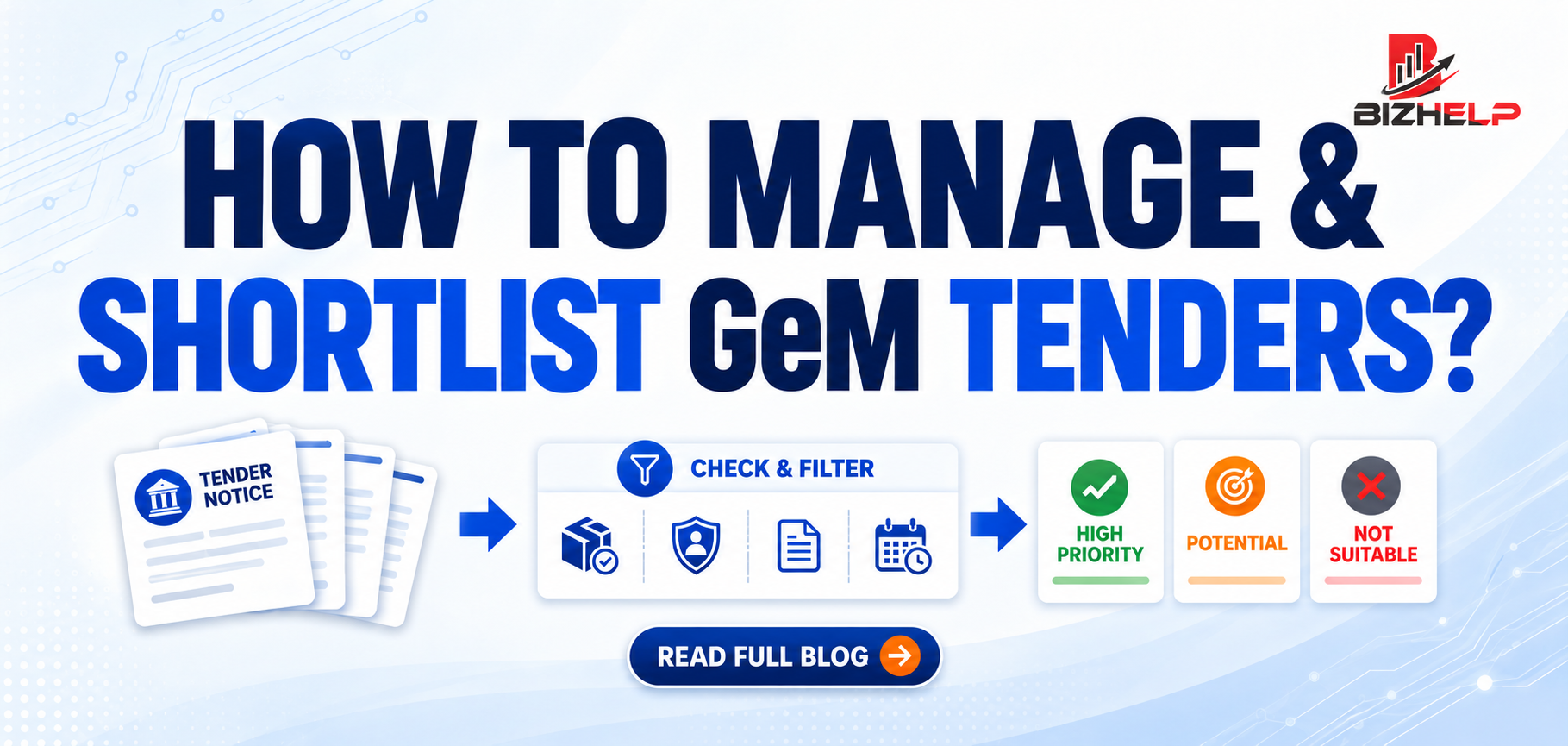
Sort your tenders into three groups:
-
High Priority — product matches, you are eligible, documents ready, dates and price workable.
-
Potential — mostly a fit, but one thing is pending, such as a document or supplier price.
-
Not Suitable — specification mismatch, eligibility not met, delivery not possible, or price not viable.
Work on High Priority first, Potential the same week, close the third list.
2. Competition
High order value attracts everyone. That is exactly why value alone should never decide your participation.
Check how common your item is, how tight the specification is, and how low prices go there. A smaller tender you can win and deliver beats a big one where fifty sellers fight on price.
Eligibility, capability, pricing and tender conditions all count together. Smart GeM tender participation means picking the right fights, not all of them.
3. Procedure
When you handle many tenders together, follow one fixed flow:
Search → Check Eligibility → Check Requirements → Check Documents → Check Dates → Evaluate → Shortlist → Prepare Bid → Submit
Check eligibility early, because it removes wrong tenders fastest. Then read the requirements and ATC, mark pending documents, and put the deadline in your calendar. Evaluate price, delivery and competition together, sort the tender into one of the three groups, and submit a day early.
Keep a sheet with bid number, item, last date, pending documents and status. Ten tenders are easy on paper and impossible in your head.
4. Common Mistakes While Shortlisting GeM Tenders
-
Applying without checking eligibility. Read that section first, always.
-
Ignoring the bid document and ATC. The conditions that reject bids sit there.
-
Missing deadlines. Set your own deadline one day earlier.
-
Not checking specifications. Match the specification, not the product name.
-
Ignoring required documents. Prepare the list the day you shortlist.
-
Chasing order value. A big order you cannot deliver is a loss.
-
Skipping delivery terms. Confirm location and timeline before bidding.
-
Ignoring financial requirements. Check EMD, security and payment terms early.
-
Shortlisting irrelevant tenders. Not your category? Drop it in two minutes.
-
Submitting without a final check. Review every uploaded file first.
5. Documents Required
Requirements change from tender to tender, so treat this as a starting list: GST and PAN details, business proof, bank details, past order or experience certificates, test reports, and OEM authorisation where asked. Clean product data through GeM catalog management makes bid preparation faster.
Tender Shortlisting Checklist
☐ Product or service matches the specification
☐ Eligibility checked
☐ Tender requirements and ATC understood
☐ Documents available
☐ Important dates noted
☐ Financial requirements checked
☐ Delivery or service requirements confirmed
☐ Competition considered ☐ Bid is commercially suitable
How to Choose the Right Tender
Pick tenders where the specification match is strong, eligibility is clear, delivery is comfortable and the price leaves a margin. If you are new, start small. Experience comes from completed orders.
6. How Will We Help?
At BizHelp we work with GeM sellers daily, and most problems we see start at the shortlisting stage.
Our team helps you find relevant bids, read the tender and ATC, check eligibility, prepare documents and submit on time. We also fix weak category mapping, which hides tenders you should be seeing.
Use our GeM consultancy services for full support, or our GeM training programs if your own team will handle bids.
We do not promise a guaranteed win. We make sure your bids are correct, complete and on time.
7. FAQ
Q1. How do I find relevant GeM tenders?
A1. Open the bid section in your seller account and search by your category and keywords. Add region filters and check daily.
Q2. How should I shortlist a GeM tender?
A2. Shortlist only if the specification matches your product, you meet the eligibility conditions, and you have the documents and time to submit before the deadline.
Q3. Is EMD required in every GeM tender?
A3. No. It depends on the bid. Some ask for EMD, some ask for security after award, some ask for neither. Check the bid document.
Q4. What documents are needed for GeM tender participation?
A4. It varies by tender. Common ones are GST and PAN details, business proof, bank details, past order copies, product certificates and OEM authorisation.
Q5. Why do GeM bids get rejected?
A5. Mostly specification mismatch, missing documents, unmet eligibility conditions or late submission. Most rejections come from reading the tender too fast.
Q6. Should I bid on every GeM tender?
A6. No. Bidding everywhere wastes time and rarely wins. Focus on tenders that match your product, eligibility and delivery capacity.
Q7. What is ATC in a GeM bid?
A7. ATC means Additional Terms and Conditions added by the buyer. It often carries the conditions that decide a bid, so read it fully.
Q8. Can a GeM tender consultant help me shortlist?
A8. Yes. A consultant can check eligibility, read tender conditions, prepare documents and track deadlines. That reduces mistakes and saves time.
8. Conclusion
Shortlisting decides how much value you get out of GeM. Before bidding, check the specification, eligibility, tender conditions, documents, dates and delivery terms. That small check saves big losses later.
Good tender management is not about applying more. It is about applying better. For help with your GeM tenders, the BizHelp team is here.
Related Blogs & Insights